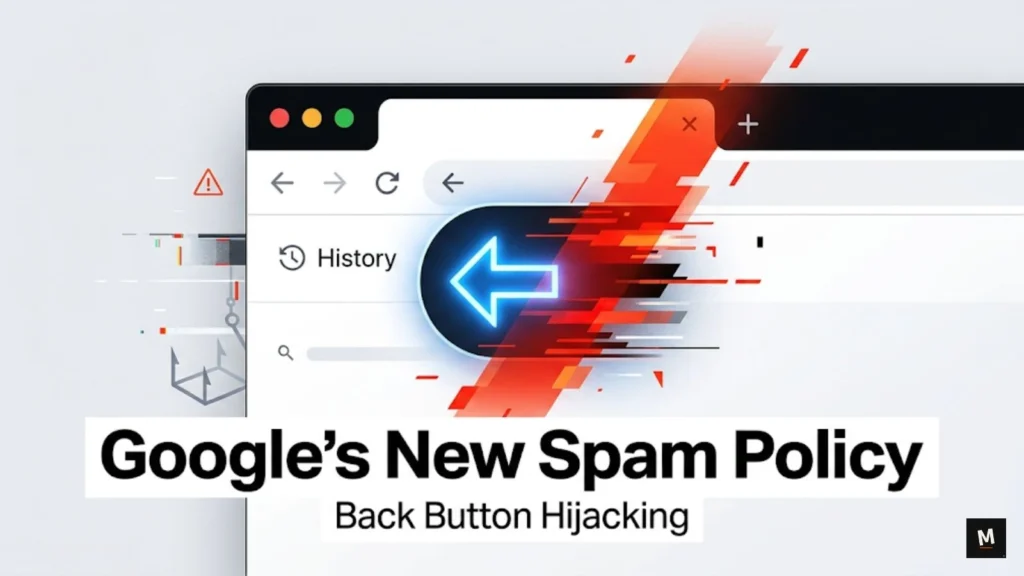
On April 13, 2026, Google expanded its spam policies and made back button hijacking an explicit violation under malicious practices.
Spam policies: https://developers.google.com/search/docs/essentials/spam-policies
Malicious practices: https://developers.google.com/search/docs/essentials/spam-policies#malicious-practices
In simple terms, Google is now taking a clearer stand against websites that interfere with normal browser navigation and stop users from going back to the page they came from.
This matters because many website owners still treat these patterns like smart UX, aggressive recirculation, or monetization hacks. Google is making it clear that some of these tricks are no longer just annoying. They are now part of the spam and trust conversation.
The real takeaway is simple. If your website manipulates browser history, traps users behind forced steps, or turns the back button into a redirect tool, you should audit it now. This is not just a UX problem. It is a trust problem.
That is also why broader SEO discussions around AI Overviews for marketers and becoming a source of truth for AI search matter even more now.
What back button hijacking means
Google describes back button hijacking as a deceptive practice where a site interferes with browser navigation and prevents users from immediately returning to the previous page when they hit the back button. Instead of going back as expected, users may be taken to pages they never visited, shown unsolicited recommendations or ads, or otherwise blocked from leaving cleanly.
That definition matters because this issue is broader than one script or one technical trick. It is about breaking normal user expectation. When someone clicks the back button, they expect one thing: to go back. If your site interrupts that, Google now sees it as deceptive behavior.
A normal site can still use recommendations, popups, or interstitials. The problem starts when those elements interfere with browser controls or stop the user from leaving in a normal way. That is the line.
Why Google added this to spam policy
Google framed this update around user expectation. The company’s point is simple: when a user clicks the browser’s back button, they should return to the previous page. If a site interferes with that process, it crosses into deceptive behavior.
This also fits Google’s wider direction. Across its spam policies and search guidance, Google consistently pushes against manipulative behavior that puts monetization tricks ahead of user experience. The new back button hijacking rule is specific, but the larger message is familiar: if a tactic misleads users, Google does not want it in Search.
So this is not a random small update. It is Google explicitly saying that browser-navigation interference is not clever growth. It is a malicious practice.
Official announcement: https://developers.google.com/search/blog/2026/04/back-button-hijacking
Which websites are most likely to be affected
Google did not publish a list of industries that will be hit the hardest. But based on the behavior it described, the sites most exposed are the ones that rely on forced recirculation, aggressive ad monetization, or deceptive retention patterns.
Ad-heavy publisher websites
If a site uses scripts or page flows that try to stop exits, inject surprise pages, or force extra ad views before a user can leave, it is in risky territory. Google explicitly mentioned users being shown unsolicited recommendations or ads instead of going back normally.
Thin affiliate websites
Some affiliate pages use fake intermediate steps, misleading buttons, or browser-history tricks to keep users in a monetization loop. If the back button does not behave normally, that is exactly the kind of pattern this update points toward.
Sites using deceptive redirects or forced interstitials
If users try to go back and get pushed into pages they never intended to visit, that closely matches Google’s description. This can happen through redirect chains, manipulated history states, or badly implemented overlays.
Low-trust monetization sites
Google did not name categories like coupon, streaming, download, or arbitrage-style sites in the announcement. But these are common places where manipulative navigation patterns often appear.
Legitimate websites using bad growth hacks
Even a real business site can create risk if its developers, plugins, ad tools, or recommendation scripts begin overriding expected browser behavior. The problem is not the niche. The problem is the behavior.
Common risky patterns
| Risky behavior | Why it is risky | Safer alternative |
|---|---|---|
| Adding browser-history entries only to trap the back button | It stops users from returning normally and creates deceptive navigation | Let the browser back action work as expected |
| Sending users to pages they never intentionally visited | This closely matches Google’s policy language | Only send users where they intentionally clicked |
| Showing unexpected ads or recommendation pages on back | It breaks user expectation and looks manipulative | Show related content inside the page, not through hijacked navigation |
| Creating forced interstitial loops before exit | It adds friction and can function like navigation interference | Use dismissible overlays that do not alter history behavior |
| Letting third-party scripts control exit behavior | You still own the UX risk even if a tool caused it | Audit and remove scripts that manipulate navigation |
The pattern behind all of these is the same: the website is trying to negotiate with the browser on behalf of the user. That is where things start going wrong.
What site owners should audit right now
Do not overcomplicate this. Run a direct audit.
1. Test the back button on key page types
Check blog posts, landing pages, affiliate pages, galleries, comparison pages, and any page that loads overlays or recommendations. Visit the page from Search or another source, then hit the back button. If you do not return normally, there is a problem.
2. Review JavaScript that touches browser history
Audit anything using history-related scripts, route interception, exit interception, or custom redirect logic. Not every implementation is bad, but anything that changes expected back-button behavior deserves review.
3. Check third-party ad and monetization scripts
Sometimes site owners do not create the issue directly. It may come from an ad-tech tool, a recommendation widget, a popup tool, or a low-quality monetization script. But if it affects navigation, the site still carries the risk.
4. Audit mobile separately
This issue can feel even worse on mobile because space is tighter and browser controls are more sensitive.
5. Track user behavior without manipulating it
There is nothing wrong with understanding bounce points, exits, or content abandonment. The line is crossed when you stop analyzing behavior and start interfering with it.
Safer alternatives to manipulative UX
A lot of site owners will ask the wrong question here.
The wrong question is: How do I stop users from leaving?
The better question is: How do I make one more click feel worth it?
That shift matters.
Manipulative UX vs acceptable UX
Manipulative UX: changes browser behavior, inserts surprise pages, overrides the back button, blocks normal exit actions, or forces ad and recommendation views.
Acceptable UX: offers related content, clear next-step links, optional recommendations, and dismissible overlays without interfering with browser controls.
That is the real difference. Helpful UX gives users a reason to continue. Manipulative UX takes away their control.
Improve recirculation honestly
Use clearly labeled related articles, next-step suggestions, comparison modules, or content recommendations inside the page. Let the user choose. Do not make the browser choose for them.
Keep overlays dismissible and clean
Newsletter popups, offer boxes, and standard interstitials are not automatically a problem. They become a problem when they poison navigation or create loops.
Reduce dependency on cheap pageview tricks
If your monetization model depends on trapping the user for one more pageview, the real weakness is not your UX. It is your business model.
Prioritize trust over one extra ad impression
A trapped user is not a loyal user. Even before policy risk, these patterns damage trust. Google’s update just makes that cost harder to ignore.
Mayank’s take
Bad UX tactics are short-term monetization borrowed against long-term trust.
Some site owners will read this update and ask, “Will Google really enforce this hard?”
That is the wrong way to think about it.
Even if enforcement evolves over time, Google’s direction is already clear. Browser manipulation is not clever retention. It is a deceptive practice. If your site depends on these patterns, the smartest move is to remove them before they become a bigger problem.
A strong website does not win by trapping exits. It wins by being worth another click.
FAQs
What is back button hijacking in simple language?
It is when a website interferes with the browser’s back button so the user cannot immediately return to the previous page as expected. Google says this can include being shown pages never visited before, unsolicited recommendations, or ads.
Did Google officially add back button hijacking to its spam policies?
Yes. Google announced on April 13, 2026 that it was expanding its spam policies so back button hijacking becomes an explicit violation under malicious practices.
Are popups automatically considered back-button hijacking?
No. A normal popup is not the same as back button hijacking. The issue starts when the site interferes with normal browser navigation or creates deceptive exit behavior.
Which kinds of websites are most at risk?
Google did not publish an official industry list, but ad-heavy publishers, thin affiliate sites, and websites using deceptive redirects or forced recirculation patterns appear most exposed based on the policy language.
What should I check first on my site?
Start with your most important templates and test the back button manually on both desktop and mobile. Then review scripts related to history, redirects, overlays, and ad behavior.
Is this only a UX issue or also an SEO issue?
It is both. Google added it to spam policy, which means it is now part of the broader search-quality and trust conversation, not just a usability annoyance.